
What the Codex Micro actually does
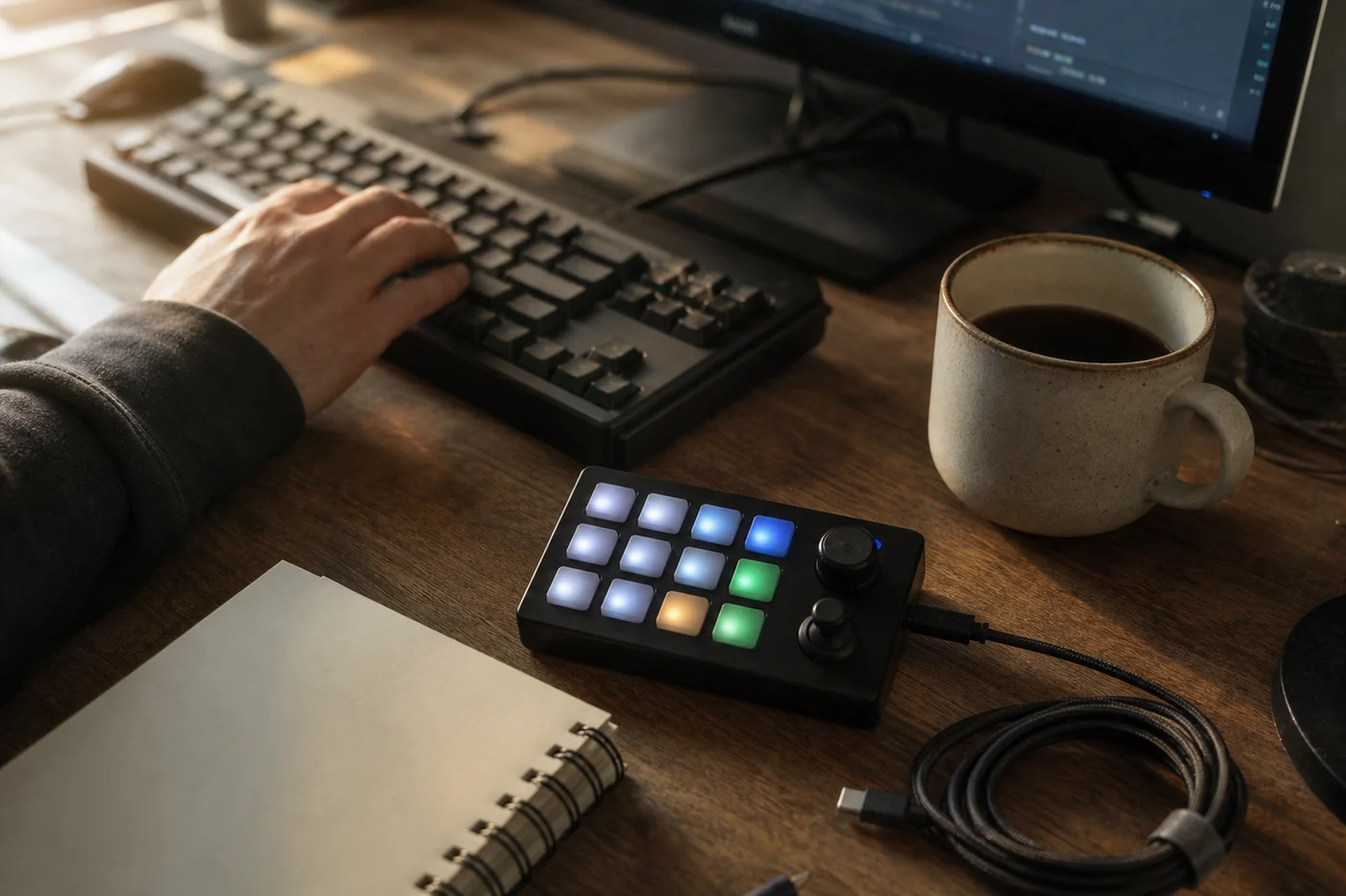
The Codex Micro was designed by OpenAI with Work Louder and uses the same basic idea as a programmable macro pad: put frequent commands under physical keys so your hand can find them without hunting through menus. OpenAI’s version ties the pad directly to ChatGPT Codex.
Six frosted Agent Keys show live status. OpenAI says the colors indicate whether a task is idle, thinking, running, waiting, or finished. Ars Technica reports that amber can flag a request for human input and red can signal an error. Tapping a key brings the matching Codex thread to the front.
The lower controls can handle actions such as accept, reject, push-to-talk, and starting a new chat. The joystick can trigger jobs such as reviewing a pull request, debugging an error, or refactoring code. A rotary dial adjusts reasoning level. The pad connects over Bluetooth or USB-C, supports Mac and Windows, and includes extra keycaps for remapping controls.
That is a coherent product for someone who keeps multiple Codex sessions running all day. The light that says ‘this task needs you’ may save more attention than the shortcut keys. Instead of checking five windows to see whether anything changed, you glance left and keep writing, reviewing, or answering a customer.
The useful feature is not the clicky key
A normal keyboard can already launch apps, trigger shortcuts, and start dictation. Cheaper macro pads can do most of the same command-mapping work. The part that is harder to copy is the live connection between a physical light and an AI task’s state.
That matters because background AI creates a new kind of checking. You start a job, return to your own work, wonder whether the assistant finished, open the window, discover it is still thinking, and lose the thread you were holding. Repeat that across several tasks and the tool that was supposed to reduce screen work creates its own little patrol route.
A status light at the edge of your vision is a reasonable fix. We have used physical signals for years because they work: an oven light, a printer warning, the mute lamp on a microphone. You do not need the whole interface. You need to know whether to keep going, look now, or fix something.
The risk is that the signal becomes one more code to manage. TechCrunch’s reviewer had to learn that white meant idle, blue meant thinking, green meant complete, and red meant error, while also remembering which project was assigned to each key. If you run one AI task at a time, the normal desktop notification is probably clearer. Six glowing slots solve a six-task problem, not a one-task problem.
Run a free three-day test before spending $230
For three workdays, pick the three AI actions you repeat most. Good candidates are opening the current project, starting voice input, bringing a finished task forward, accepting a safe change, or rejecting one. Use existing keyboard shortcuts, a spare function key, or a tiny paper card beside the monitor. Do not redesign your entire setup.
Make one mark each time the shortcut replaces menu hunting or window checking. Make a second mark each time you forget the shortcut, trigger the wrong thing, or open the app manually anyway. At the end of the third day, count the first marks and ignore your feelings about how nice the hardware looks.
Then test the feature the cheap setup cannot reproduce: task status. Keep two or three long-running jobs open and note how often you interrupt yourself just to check them. If that happens many times a day, the Micro’s live Agent Keys may solve something real. If you mostly stay inside one session, the status lights are decoration.
Finally, name the physical control you would use without thinking. Push-to-talk has a strong case because holding a key, saying the task, and releasing it is easy to understand. Accept and reject may also work if you review many small changes. A reasoning-effort dial sounds charming, but if you adjust it twice a month, it is not part of the purchase argument.
Jun wants the colors explained. Cass wants the pad to survive another tool.
Jun Vega likes the glanceable status idea but thinks the first hour matters more than the product photo. Six blank glowing keys can feel calm to an expert and cryptic to everyone else. His version of setup would show one real task moving through waiting, working, needs-you, done, and failed, then leave a plain legend visible until the person stops needing it. If the owner has to memorize the lights before the pad saves a click, the onboarding debt is part of the price.
Cass Bell is less interested in the learning curve than the lock-in. A specialized controller earns its desk space slowly, through muscle memory. That makes native Codex status useful, but it also ties the habit to one AI product. Her test is simple: if you changed coding assistants next month, would the pad remain a good general macro controller or would its best six keys turn into ordinary lights? OpenAI says other programmable layers can handle general shortcuts, but the native Codex connection is what justifies the premium.
Those objections pull in different directions. Jun wants the dedicated behavior to become legible faster. Cass wants the hardware to remain useful when the dedicated behavior changes. Both are more practical than asking whether an AI keypad is the future of computing.
Who should buy it—and who should skip it
Buy it if Codex is already open for much of your workday, you regularly run several tasks at once, you lose focus checking their status, and accept, reject, voice, or thread-switching are repeated motions rather than imagined ones. In that narrow situation, $230 may be reasonable for a well-made tool you touch hundreds of times a week.
Skip it if you are still trying to make AI coding part of your routine. Hardware will not create the routine for you. Skip it if you use one session at a time, if normal notifications already work, or if most of your AI use happens away from the desk. TechCrunch’s hands-on reviewer enjoyed the Micro after programming it but still questioned why a newcomer should spend a week learning it instead of using the mouse and keyboard they already know.
Also skip the purchase if what you really want is a programmable shortcut pad for many apps. There are broader options, and your existing keyboard may be enough. The Codex Micro’s strongest case is not that it has mechanical switches, a joystick, or an aluminum base. It is that six physical keys know what six Codex threads are doing.
That is a small idea, not a silly one. AI assistants are moving from a chat you watch to jobs you start and return to later. We will need calmer ways to see when those jobs are waiting, finished, or broken. A light beside the keyboard may be one of them. Just prove you have the checking problem before buying the answer.