
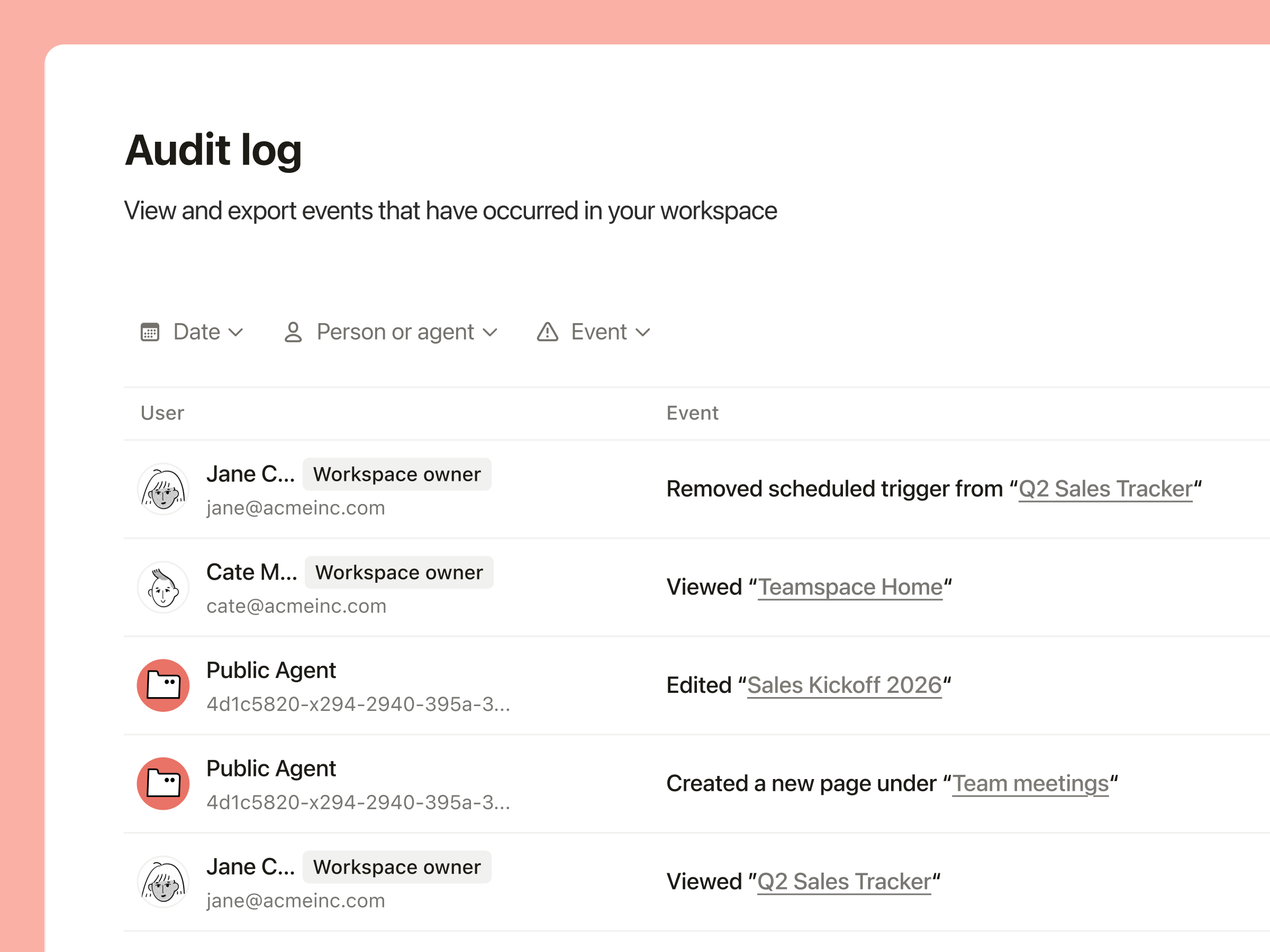
What changed
Microsoft says Service Agent has moved from preview to general availability. The product can summarize case and customer context, search trusted knowledge, update cases, create notes and activities, draft customer messages, recommend next actions, and work across Dynamics 365, Teams, Outlook, Dataverse, SharePoint, and Microsoft 365 data. Microsoft also says the rollout includes role-based controls, queue-level configuration, and side-by-side adoption with existing tools.
Notion’s July 1 release pushes in a similar direction from a different surface. Teams can assign Claude and Cursor from a shared Notion board, watch them run, connect agents to Outlook, files, databases, and MCP integrations, and — on Enterprise — track Custom Agent activity in the audit log: when an agent ran, what it changed, and who triggered it.
OpenAI’s Scheduled Tasks documentation adds the consumer and team-admin version of the same question. Users can now manage active tasks in one place, see when they run next, pause or delete them, and create monitoring tasks that remember previous runs and notify only when something changed. Tasks have limits, can auto-pause, and may need approval depending on connected-app permissions.
The real search query is: did this remove work?
People searching for AI assistants for work automation are not really looking for another box that talks. They are looking for fewer repeat checks, fewer status pings, fewer copy-paste chores, fewer places where a customer or teammate has to explain the same thing again.
That is why a run ledger matters. Not a verbose developer trace. A plain after-action view: task requested, sources used, records changed, messages drafted or sent, approvals needed, failures, skipped items, next owner, and how long a human spent reviewing it.
Without that, teams get activity instead of proof. The assistant touched fifteen systems. Great. Did it close the case? Did the customer avoid a second contact? Did the manager get fewer review pings? Did the weekly report stop requiring three clarification messages?
What Priya would measure first
For a small team, I would not start with total tasks completed. That number is too easy to inflate.
Start with one queue people already understand: customer cases, incoming emails, onboarding tasks, weekly reporting, sales follow-ups. Take a normal week before rollout and count the ugly things: repeat contacts, owner lookups, reopened items, manual reruns, review minutes, after-hours pings, and tasks that looked done but needed repair.
Then run the assistant on the same kind of work and count again. If tool calls go up but repeat contacts do not fall, the assistant got busy. If notes look cleaner but managers spend more time checking them, the work moved. The win is not more AI activity. The win is a shorter human recovery trail.
Why this matters now
The products are converging on the same promise: your assistant can sit where work already happens. It can read the doc, update the case, draft the email, watch the board, schedule the follow-up, and run again later.
That is a useful shift, but it also changes the failure mode. A bad chatbot answer is annoying. A bad assistant run can leave a customer record half-updated, a teammate waiting on a task that never finished, or a recurring monitor that keeps pinging long after the need is gone.
The fix is not to avoid AI assistants. It is to make the run legible enough that a normal person can decide whether to trust it in under a minute. What happened? What changed? What still needs me? What should I delete, pause, or rerun?
Two useful disagreements
Jun Vega would make the ledger visible during the run, not only afterward. His point is practical: if the assistant is working across a customer record, email, and calendar, the user should see the current surface, allowed actions, blocked actions, and stop button before the mistake becomes archaeology.
Cass Bell would ask what vanished. If the assistant creates a nicer audit log but no meeting, ping, report, ticket, or repeated explanation disappears, the company did not automate work. It taught work to leave better-looking crumbs.
Both objections are useful. The ledger has to calm the person using the tool now and prove the tool helped the team later. If it only does one, adoption will look better than the workday feels.